How I Design with AI
Speed of iteration is the single greatest leverage point for design quality. AI tools have made that speed phenomenal — what previously took weeks of Figma screens, stakeholder reviews, and developer handoffs now takes hours from concept to testable prototype. But speed without research direction is just faster guessing.
The Thesis
AI can help you with the iterations, but it can't help you with the research.
This process has two halves that are entirely dependent on each other. Skip the research and you iterate faster toward the wrong answer. Skip the AI-accelerated execution and you spend weeks validating directions you could have tested in hours. 80% of human behaviour is non-communicative — impossible for AI to understand. This methodology treats both halves as inseparable.
The Workflow
Each cycle compresses what used to take weeks into hours. The value is not in any single fast cycle — it's in running more cycles than was previously possible.
Code Prototypes vs. Figma
The biggest differentiator is iteration cycles and the quality of feedback. Code prototypes produce behavioural data under realistic conditions. Figma prototypes test whether someone can click through screens — not whether they can use the product.
Research Foundation
The research side is irreplaceable by AI. It produces the direction that makes fast iteration valuable.
Synthesise before you interview. Most organisations already have hundreds or thousands of unstructured data points — support tickets, Productboard insights, sales call notes, NPS comments. Before scheduling a single interview, structure what already exists. At Emesent, I synthesised 3,000+ Productboard insights across 266 companies into 5 customer mindsets.
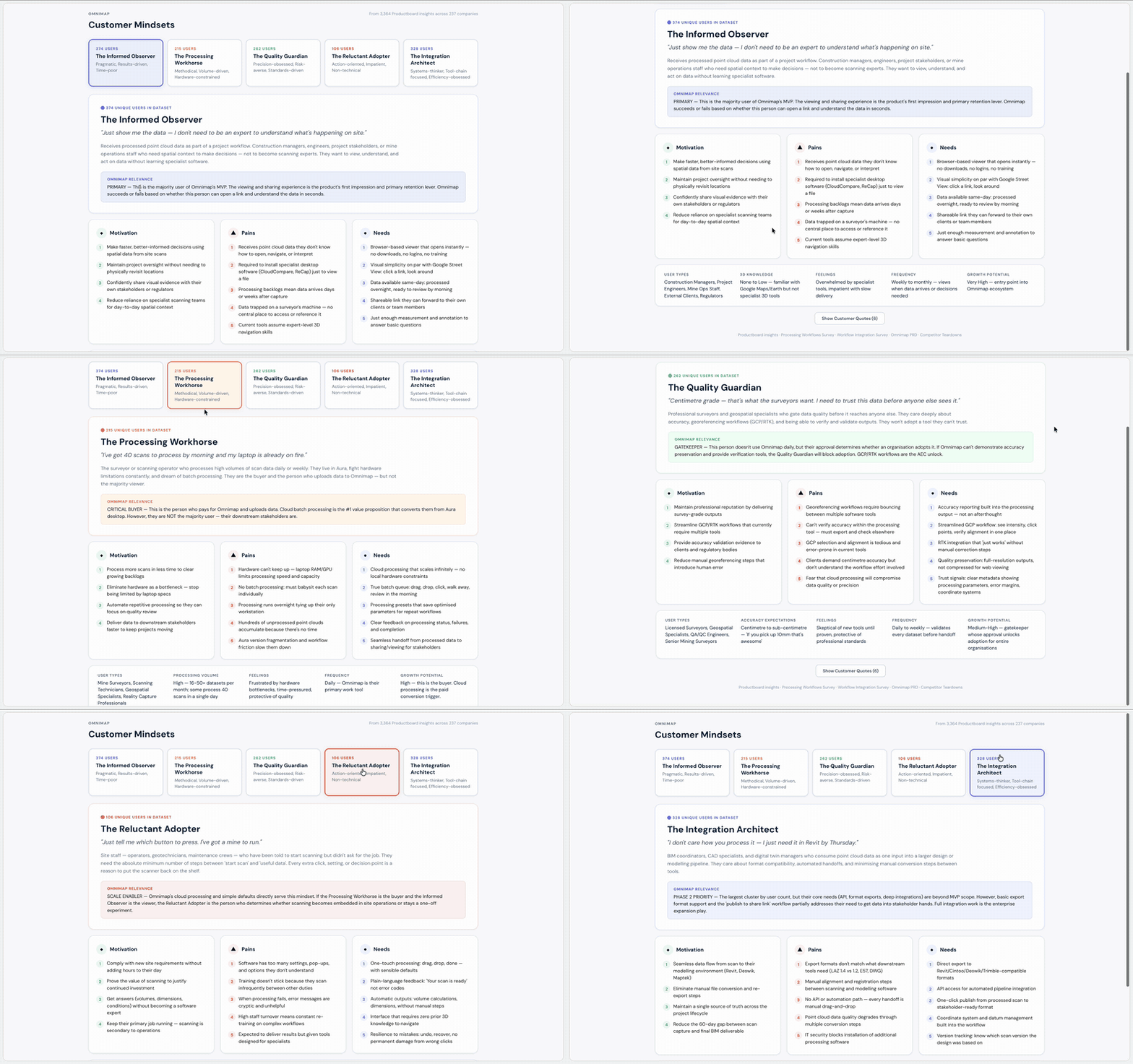
Not 'what do you think of this feature?' but 'you're a Quality Guardian — show me where this breaks your workflow.'
Build mindsets, not personas. Personas describe demographics. Mindsets describe decision-making patterns. Five mindsets gave me a useful middle ground between individual anecdotes and broad use cases. I could say 'Mindset A and B will have an issue with this feature, but C, D, and F may not' — which is actionable in a way that personas rarely are.
Don't wait for permission. My biggest mistake at Emesent was following the expected path — requesting customer access through sales, account managers, and engineering managers. Weeks passed. The deadline didn't move. Once I recognised this, I stopped waiting. I started guerrilla testing: walked down the street with an iPad, spent the day testing with barbers, grocery workers, tradespeople, restaurant owners. I posted in Reddit communities for anonymous early feedback. The formal pipeline eventually came together, but the early momentum came from refusing to let alignment gaps stall the work.
- 3,000+ Productboard insights synthesised into 5 customer mindsets across 266 companies
- UX risk scoring: high risk + high value proceeds to interviews; low risk + high value shifts to surveys
- Guerrilla testing with non-experts validated designs when formal channels were blocked
- Sales teams across Americas and Europe trained on research methodology, scaling beyond a 2-person design team
- Engineers began attending customer interviews — the single biggest win for technical stakeholder alignment
AI-Accelerated Execution
The execution side compresses the feedback loop from weeks to hours. Every tool in this stack serves one purpose: getting a testable artefact in front of real people faster.
Figma for visual direction only. I design one or two screens to establish look and feel — layout structure, colour system, visual language. For any design problem where the value is in the interaction — not the layout, not the visual design, but the moment-to-moment experience — static prototyping tools create a false sense of validation. You test whether someone can click through screens, not whether they can use the product under real conditions.
Claude Code for the initial build. I feed the Figma screens along with user context, the problems to solve, custom data, and the full user workflow. This produces the prototype to approximately 60% quality. The key is providing enough context — not just 'build this screen' but the full user scenario under realistic conditions. Cursor for refinement — fixing interaction details, adjusting timing, connecting edge cases.
Total time from concept to testable prototype: approximately 4 hours. This is not a demo — it's a data collection instrument.
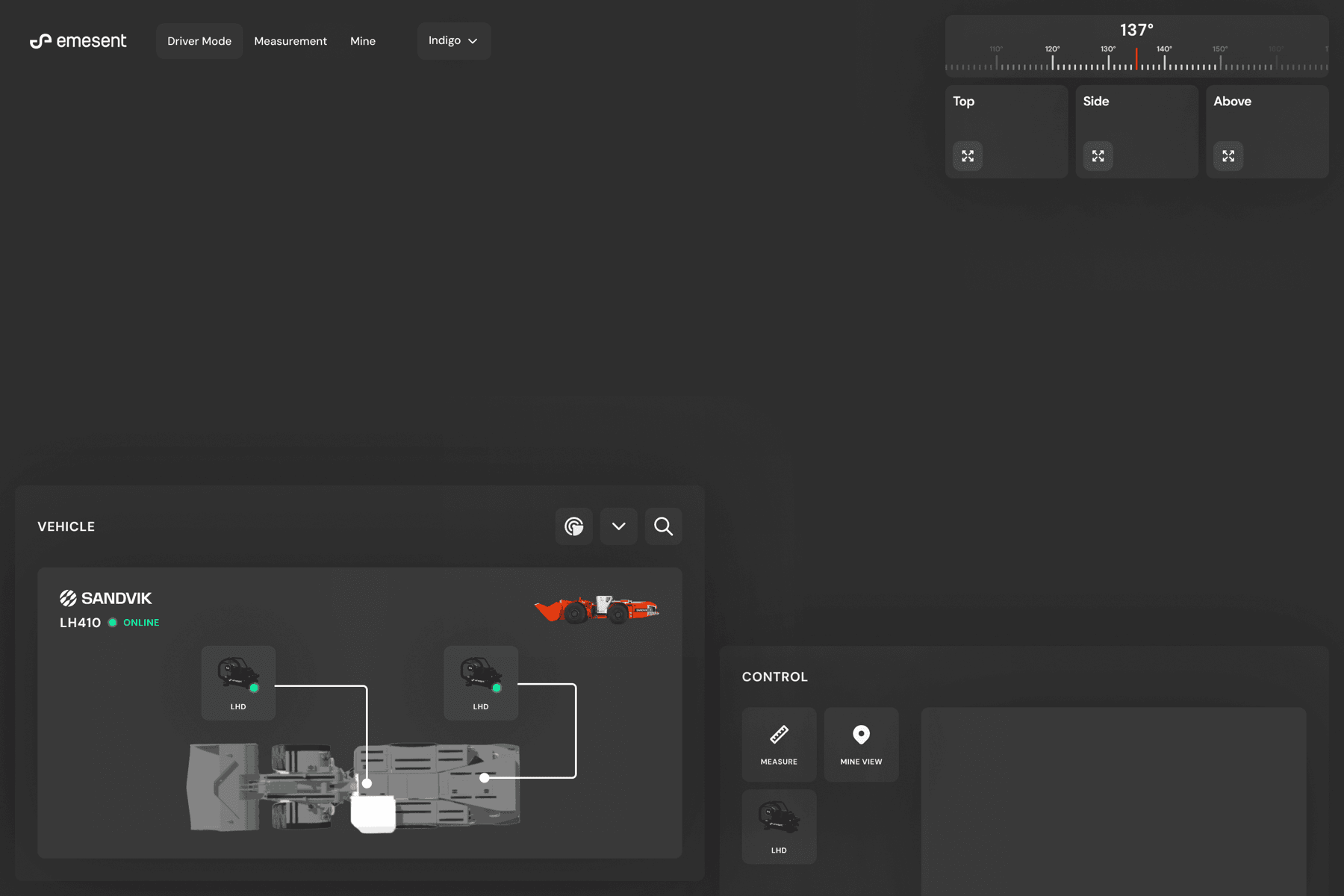
The LHD prototype rendered 567,000 live points with real-time proximity alerts and interactive camera switching. By end of day I had substantive data to iterate from.
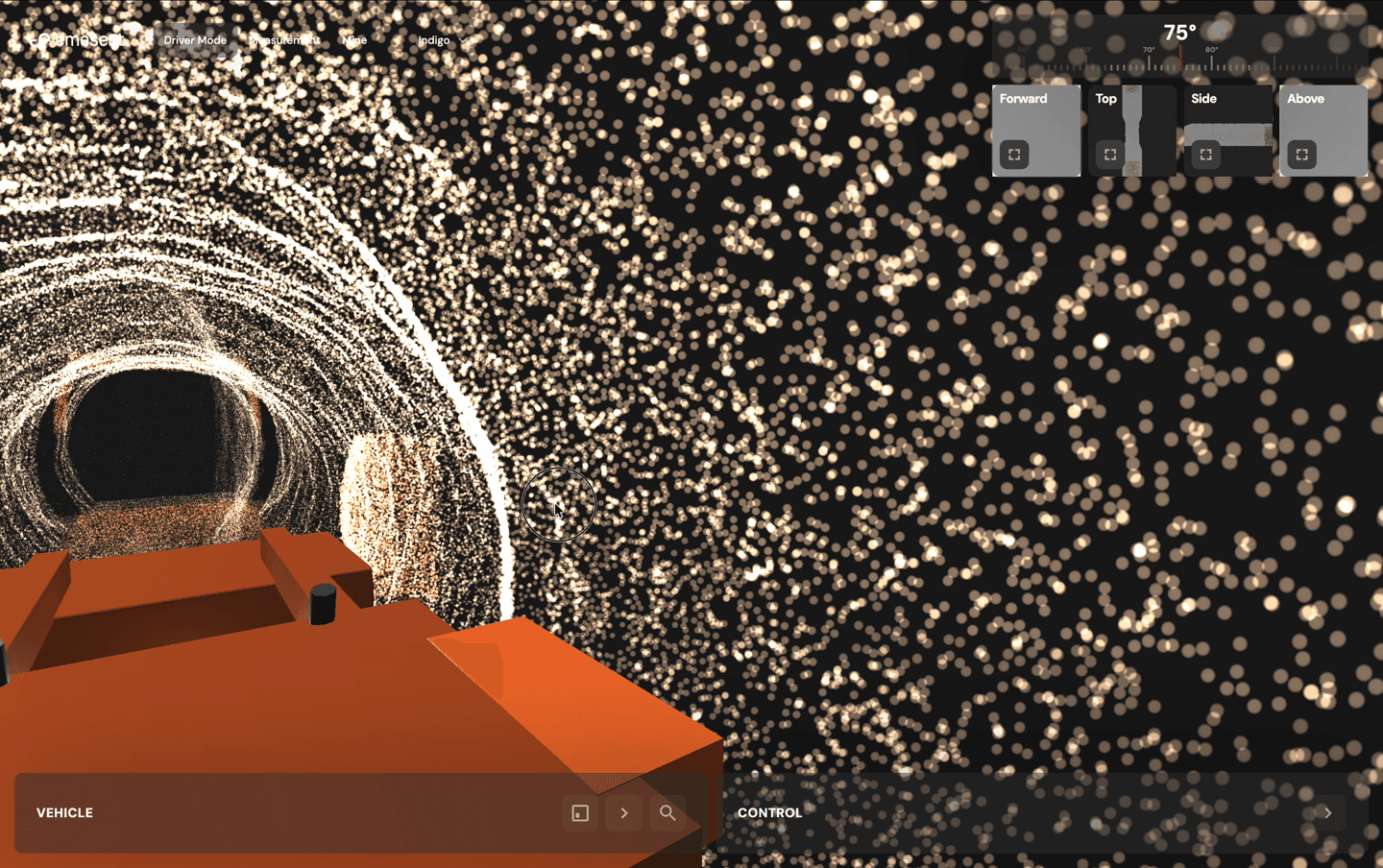
Connect to the codebase when possible. In one instance, my engineer gave me access to connect directly into the codebase. I was vibe-coding design ideas against real services, real data, and real architecture — pushing to a sandbox environment with production-grade fidelity. This moved prototypes from hypothetical to running against real infrastructure.
- Figma: 1-2 screens for visual direction, layout, and colour system
- Claude Code: initial prototype from context + wireframes (~60% quality)
- Cursor: refinements, edge cases, interaction polish
- ~4 hours from concept to testable interactive prototype
- Sandbox deployment against real services and data when codebase access is available
When to Use Code Prototypes vs. Figma
Not every design problem needs a code prototype. The decision depends on where the design risk sits.
Use Figma when
- Risk is in information architecture, content hierarchy, or visual design
- Interaction model is well-understood — forms, lists, standard navigation
- You need to communicate visual direction to stakeholders quickly
- The problem is layout, not behaviour
Use code prototypes when
- Value is in the interaction, not the layout
- Design involves spatial, 3D, or real-time elements
- You need to test under realistic cognitive load conditions
- Static mockups would create false confidence in the design direction
At Emesent, code prototypes were used for: LHD teleoperation interface, Omnimap mobile viewer, Trimble integration prototype, and camera navigation modes. Figma was used for: visual direction and colour systems, layout structure for the cloud redesign, and component explorations before design system work.
The Design System Prerequisite
AI-generated code is only as consistent as the system it references. Without a design system, AI produces visually inconsistent output that doesn't feel like a cohesive product. The design system must exist before AI tooling becomes productive at scale.
- Design system establishes the visual and interaction language
- AI tools generate within those constraints
- Output is consistent, reviewable, and shippable
Reverse the order and you get faster production of inconsistent work.
Principles
Research Cannot Be Automated
80% of human behaviour is non-communicative. People don't tell you what they actually do — they tell you what they think they do. The systems to minimise bias and read people accurately are what make fast iteration productive rather than just fast.
Speed Compounds
Each iteration cycle produces better data, which produces tighter direction, which produces better prototypes. Five iterations in a week beats one iteration in a month, every time.
Prototypes Are Data Instruments
A prototype is not a demo. It's an instrument for collecting behavioural data from real users under realistic conditions. Design it to answer specific research questions, not to look impressive.
Connect to Reality
The closer your prototype is to real data, real services, and real architecture, the higher the signal quality from testing. Sandbox environments with production data produce fundamentally different insights than mock data.
Results
- Prototype-to-validation cycle compressed from weeks to 4 hours through code-first approach (Emesent)
- Machine-based licensing design unlocked multi-million dollar USMC defence contracts (Emesent)
- Trimble partnership finalised through an OS-style prototype enabling C-level partnership decisions (Emesent)
- 3,000+ data points synthesised into AI system used daily by product, sales, and engineering teams (Emesent)
- Research methodology adopted by sales teams across Americas and Europe, scaling beyond a 2-person design team (Emesent)
- Insight generation cycle compressed from 15+ hours to under 1 hour through ML framework design (Strike Analytics)
- 44% opt-in rate for complex tax filing process through progressive disclosure (Taxfix)
The Counterweight
The temptation with AI tools is to move fast on everything. The discipline is knowing when to slow down. AI can generate 15 design directions in minutes. Without research to evaluate them against, you're choosing based on aesthetic preference or stakeholder opinion — which is exactly the process AI was supposed to improve. Research prevents fast iteration from becoming fast guessing. Fast iteration prevents research from becoming an academic exercise that never ships.
My process didn't change at Emesent. What changed was how fast I could execute it.